New Feature: In-Line Form and Sectionals on Profile Breakdowns
What's new
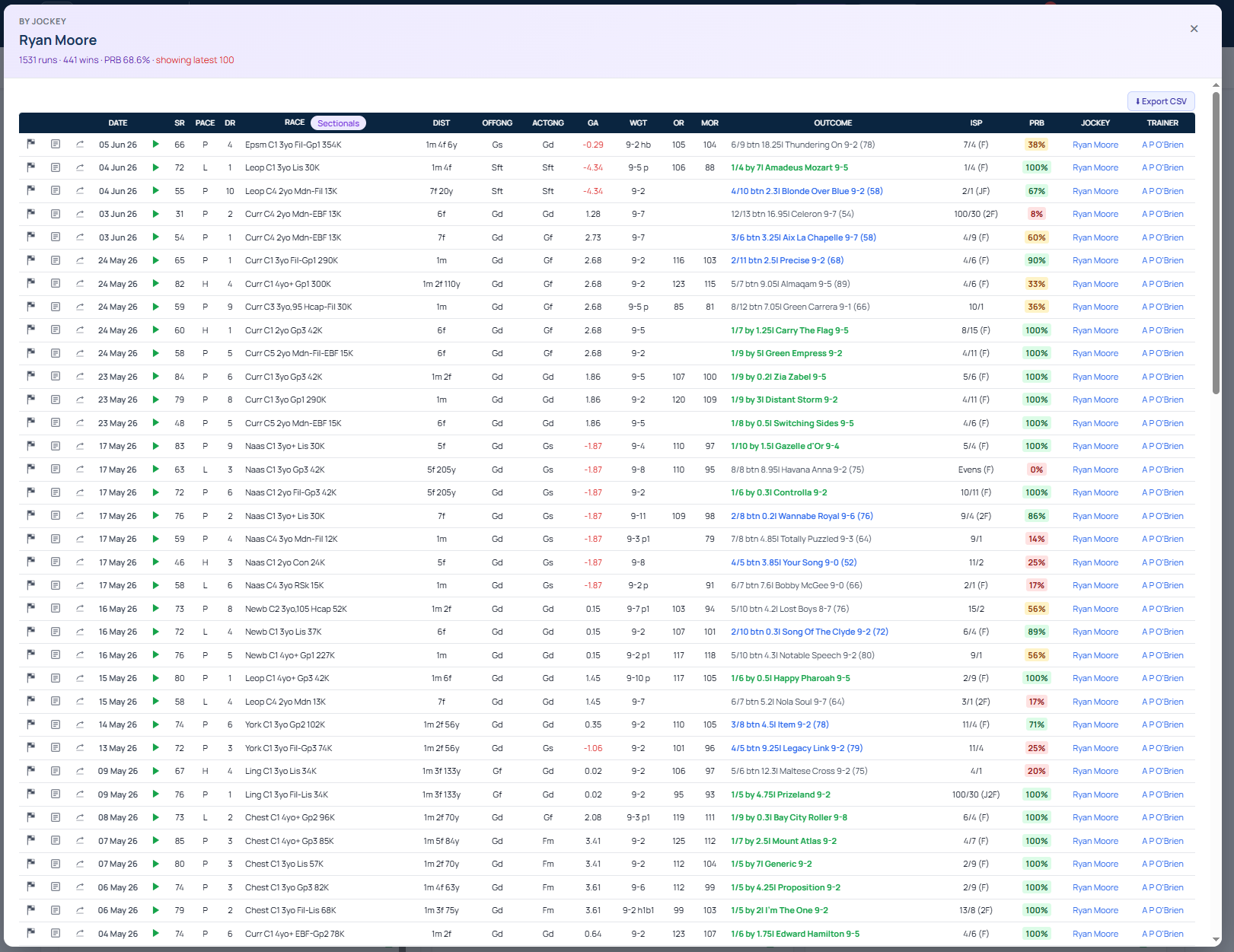
RaceMetrics profiles now display full form lines and sectionals data in drill-down popups. Proform Premium members can click into detailed performance breakdowns to review complete race records with pace, draw, weight, odds and outcomes—alongside sectional splits for those on a sectionals plan.
Two ways to access the drill-down
Click the RUNS card at the top of any profile to view the latest 100 runs in full history (or filtered results if you've narrowed the page with filters above).
Click any breakdown row to see the runs that built that statistic. For example, clicking "By Jockey: Ryan Moore" on a horse profile displays every run under that jockey.
What you'll see
- Strike rate, pace, draw, race, distance, going, weight, odds, outcome
- ISP, PRB, jockey and trainer
- Sectionals data (Race Pace bar, style, position, speed rating, max speed, final 2f/1f/finish) for Premium members on a sectionals plan
How it works
The popup uses the same sorting and export behaviour as the racecard form-line view. Your sort preference persists when the drill-down opens, and the Export CSV button is enabled.
Large breakdowns are capped at the latest 100 runs for performance. The popup header indicates when this cap applies—for example, "5,879 runs · 1,492 wins · PRB 64.4% · showing latest 100". Narrow page filters and re-open to access additional runs.
The feature is gated to Proform Premium members. Non-Premium accounts see an upgrade prompt instead of the popup.